I wanted to know who in my LinkedIn network is actually working in AI. Manually? No way, hundreds of profiles…. Not happening! So I created a simple workflow instead:
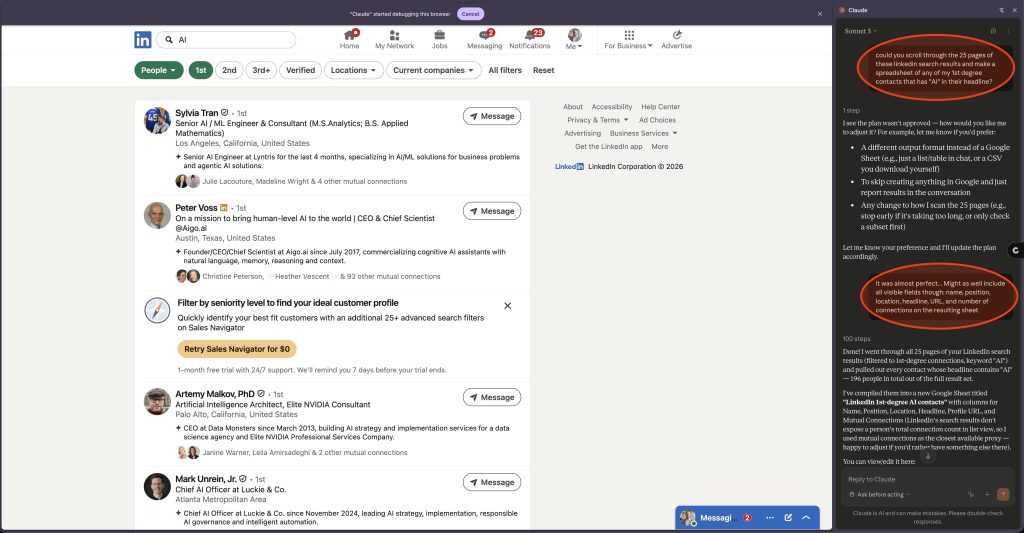
1 – Ran a LinkedIn search for 1st-degree connections with “AI” in the profile.
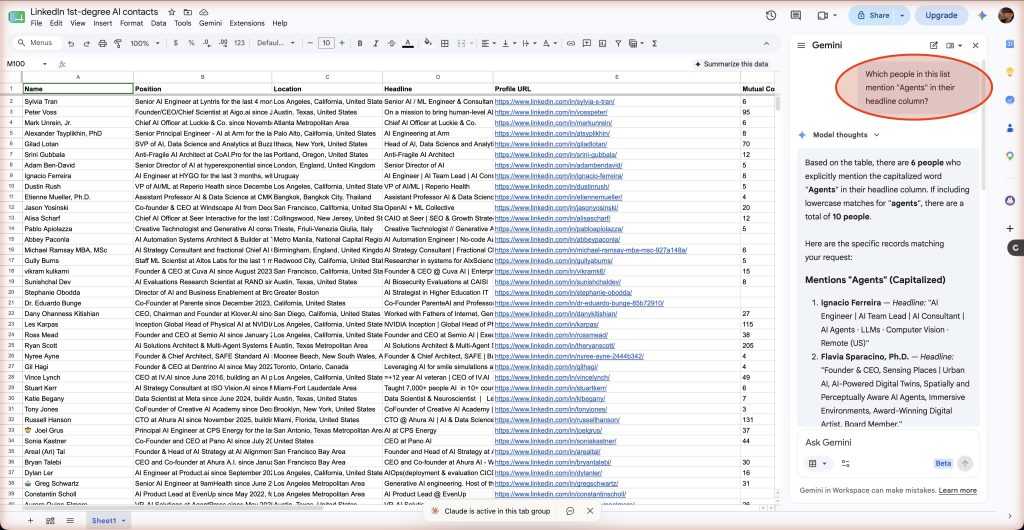
2 – Opened Claude extension in Chrome and had it scroll 25 pages of results, pulling name, role, location, headline, profile link, and mutual connections into a spreadsheet.
3 – Dropped that into my personal Google Workspace and used Gemini to clean and refine it.
ADVANCED OVERACHIEVER MOVES (Optional!)
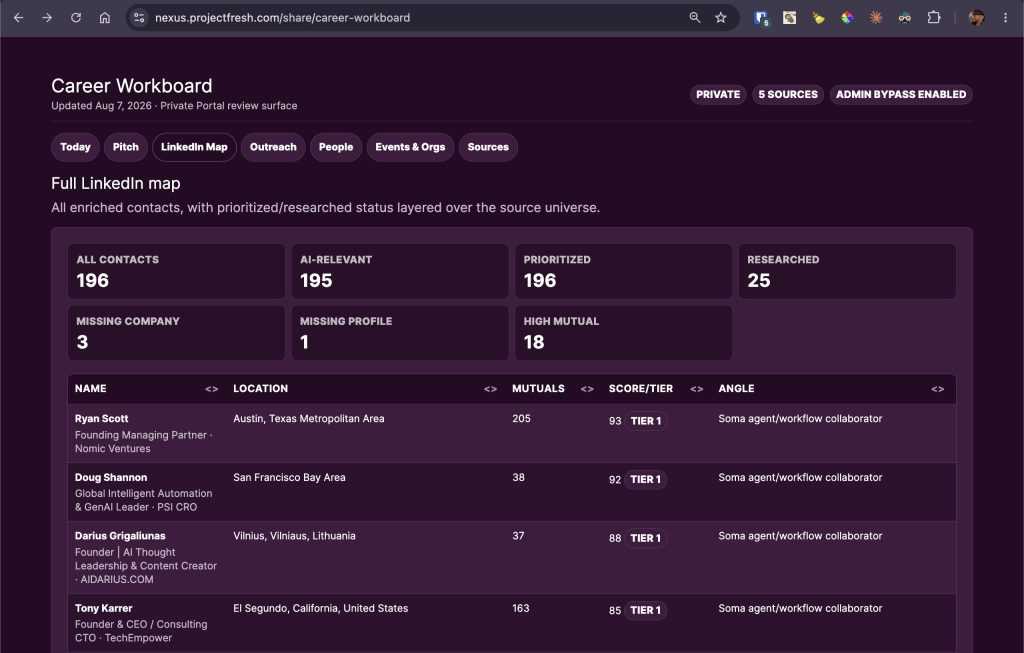
4 – Handed it to Nexus, my OpenClaw agent, to enrich the records further with company info, even emails if it could find them.
5 – Had Nexus build me an interface to explore the list and manage outreach.
RESULT: 196 contacts. Organized and actionable. In a fraction of the time.
The real smarts isn’t the use case, it’s the larger concept: Once your data lives in structured form, an agent can work on it alongside you: tracking actions, conducting researching, surfacing new opportunities, saving you time and making you more effective.
I’m top of my game right now, building an incredible new agentic platform for my consulting business. After an awesome year of full-time work, my schedule is opening up wit a little more capacity for more clients and collaboration… and Nexus is keeping me on track.
How are you using AI to work your own network? Are you using agents? Do you have your own OpenClaw or variation? I’d love to know!